
View All Blog Posts
March 10, 2026



As the DevSwarm product team, we're proud of what we built and we use DevSwarm for work and play every day. So perhaps it was a bit presumptuous to assume everyone else would be willing to pay $20 a month for the tool we love so much. The thing we kept hearing from developers was that the price kept them from ever finding out whether parallel AI development worked for them. That friction contradicted our thesis: parallel workflows should be the default way to build software, not a premium upgrade. So with DevSwarm 2.0, we rebuilt the pricing from the ground up.
The AI coding tool market has largely settled on one of two pricing models: charge per seat with AI usage bundled in, or charge for AI tokens directly. DevSwarm does neither. Unlike other AI development platforms that abstract your AI spending behind opaque credit systems or proprietary compute units (where you cannot determine which model is processing your code or how much of your payment is kept by the dev platform), DevSwarm never takes a cut of your AI costs. You bring your own API keys or subscriptions, and your spending goes directly to the providers without a middleman margin. This is a deliberate architectural decision, not a temporary promotion.
DevSwarm is an orchestration layer. It manages git worktrees, spawns agent processes, provides an integrated editor, and coordinates parallel workflows. The AI models themselves run through your existing subscriptions to Claude Code, GitHub Copilot, Gemini CLI, Amazon Q, or whichever agent you prefer. Your costs scale with your actual AI usage, not with the number of workspaces you create.
The Free tier exists because the core value proposition of DevSwarm—running multiple AI agents in parallel without conflicts—should be accessible to every developer who wants to try it. Restricting that behind a paywall is what kept people away before, and we did not want to repeat the mistake.
The Free plan is not a trial and not a feature-limited preview. It includes access to all 19 AI coding agents that DevSwarm supports, a full VS Code-based code editor embedded in every workspace, and the branch-isolated parallel development model that defines the product. Each workspace gets its own git worktree, its own agent session, and its own editor instance, with no limit on the number of workspaces or simultaneous agents.
For developers who prefer to keep everything local, Free also supports local-only operation with agents like Aider and Goose, meaning you can use DevSwarm without connecting to any external service. The trade-offs are that the Free tier is ad-supported and does not include GitHub pull request review or Review Mode, both of which are available starting at the Pro tier.
Every new account also begins with a 14-day free trial of the full feature set, so you can evaluate GitHub integration, Review Mode, and the ad-free experience before deciding whether to subscribe.
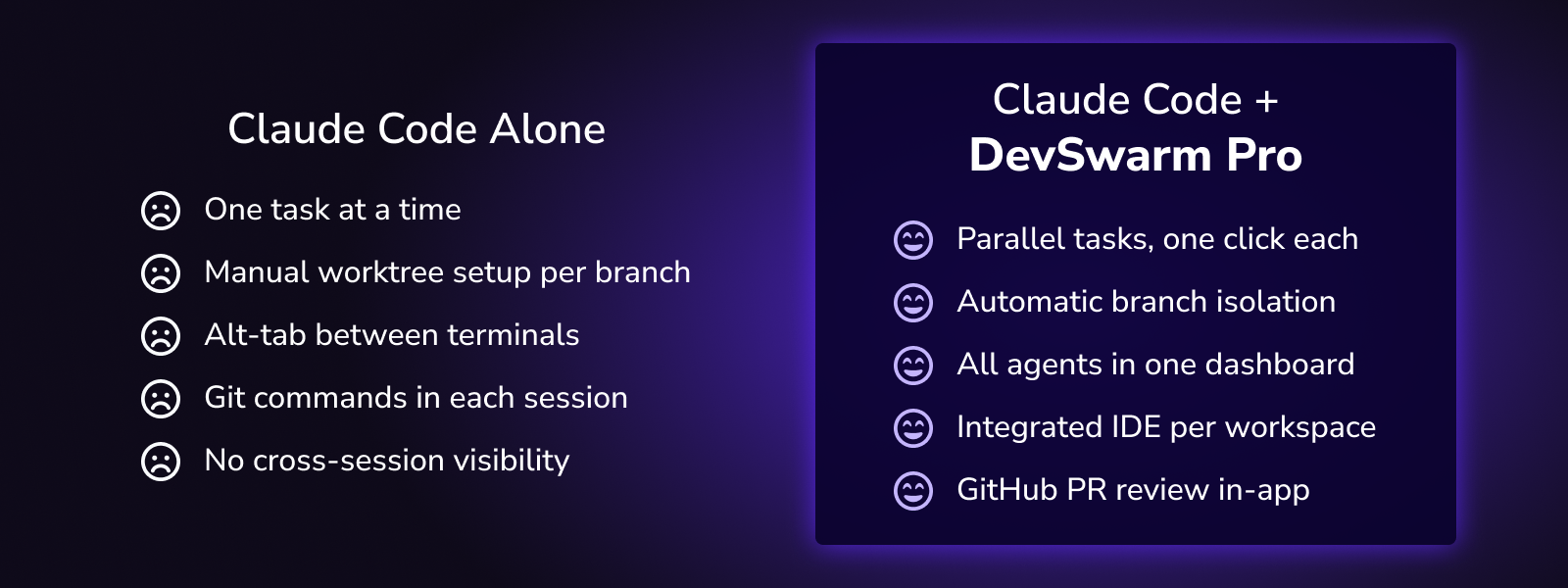
Pro costs $8 per month and is designed for developers who use DevSwarm daily and want the complete feature set. It removes advertisements and unlocks GitHub pull request review directly inside DevSwarm, along with Review Mode for AI-assisted code review within each workspace. Pro also includes email support, priority updates, and early access to new features before they reach the general release.
We set the price low enough that it does not require managerial approval or procurement cycles: it is a decision an individual developer can make on their own. The productivity gains from running five tasks concurrently instead of sequentially pay for the subscription many times over in a single working session.
Students receive Pro at no cost with .edu email verification, because the next generation of developers should learn parallel workflows from the start.
The Team plan costs $18 per month per seat and extends DevSwarm from an individual productivity tool into a team coordination platform. It addresses the organizational challenges that emerge when multiple developers are each running multiple parallel agents.
Jira-based work intake lets team members pull tickets directly into DevSwarm workspaces, maintaining a traceable link between a Jira issue and the branch, agent session, and code changes that address it. Because Team includes everything in Pro, GitHub pull request review and Review Mode are also available, keeping the entire cycle from ticket to code to PR in a single window.
Team also includes onboarding and enablement support. Parallel AI development is a workflow shift, not just a tool installation, and teams that adopt it effectively tend to rethink how they decompose work, structure branches, and approach code review. The enablement component helps teams make that transition without losing momentum.
Some AI development platforms build their business model around taking a percentage of your token spend. You pay them for AI usage, and a portion of that payment goes to the platform rather than to the model provider. DevSwarm does not do this and never will. There is no token markup, no usage metering, and no per-request fee. We do not profit from your AI consumption, which means our incentives are aligned with yours: making parallel workflows better rather than encouraging you to spend more on tokens.
Start with Free: no credit card, no time limit, and a 14-day trial of the full feature set so you can evaluate everything before committing. If you want GitHub PR review, Review Mode, and an ad-free experience, Pro is $8. If your team needs Jira integration with structured onboarding, Team is $18 per seat.
DevSwarm 2.0 is available now at devswarm.ai.

