

Run parallel AI agents from one command center

Stop juggling AI agents and IDEs. Run and coordinate parallel agents across isolated branches to write, review, and optimize code in one seamless workspace.








Productivity you can feel from the first commit
Run multiple branches and projects in parallel, each in a fully isolated IDE, all in one interface.
Each workspace carries its own extensions, its own ports, and its own configuration, so branches never step on each other. Work on a feature, a bugfix, and an experiment at the same time, in one project or across several, each with its own dev server and terminals. It all runs in one interface, and switching branches takes a click.
Explore parallel workspacesYou set the goal. DevSwarm orchestrates the agents and workspaces that deliver it.
Describe what you want in plain language. DevSwarm plans the work, creates a workspace for each piece, and puts an agent on every one. The agents pass messages, report progress, and hand results back until the goal is complete. Everything stays visible, and you can open any workspace and take over at any time.
Learn more about HiveControl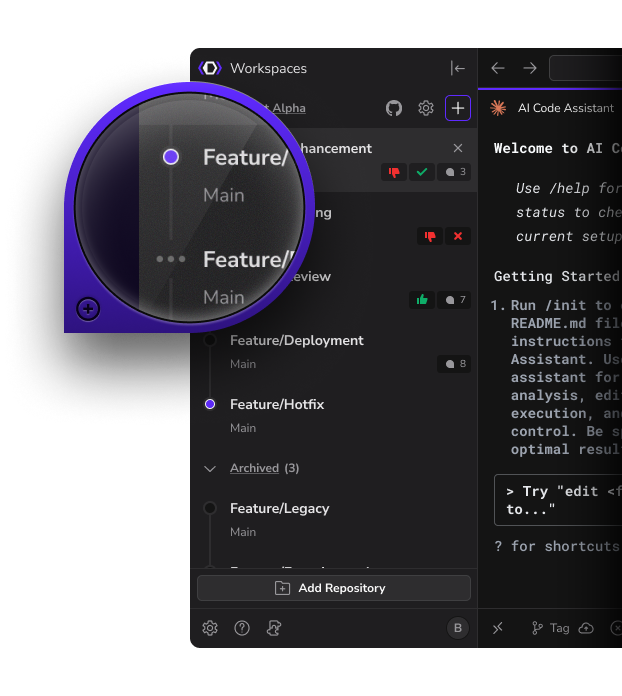
Your project spans many repos. Your workspace shouldn't. Polyrepo reality, monorepo feel.
Your project is spread across several Git repositories. Multi-Repo brings them into one DevSwarm workspace, where a single agent in a single IDE makes changes across all of them. Each repository keeps its own Git history, branches, and pull requests, and you review each one individually.
Learn more about Multi-ReposGitHub and Jira, wired straight into where the work happens.
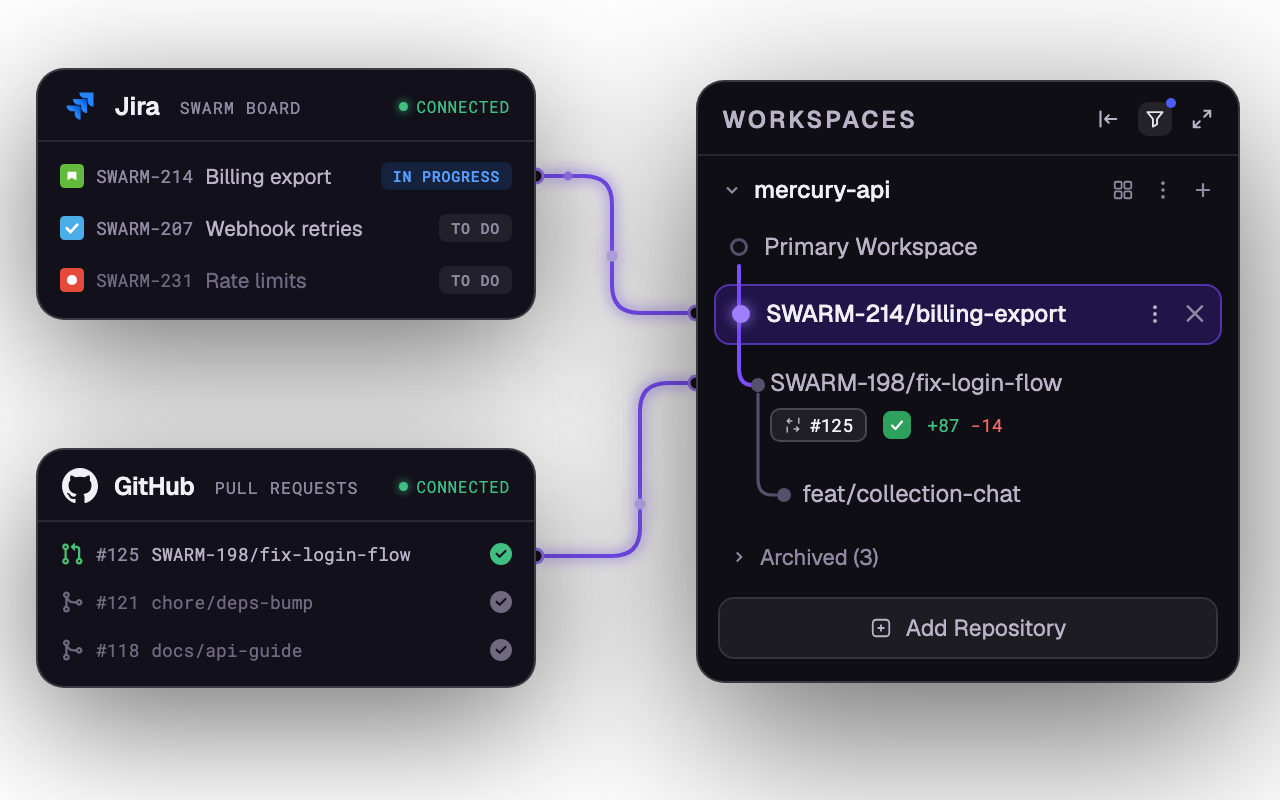
Push, pull, commit, and merge without leaving DevSwarm. Start builders from tickets and turn tasks into active workspaces the moment they land, with progress tracked back automatically.
Why engineering teams adopt DevSwarm
One command center for parallel AI work, with the control and visibility a real engineering team needs.
See DevSwarm for teams- 01
Faster delivery without losing control
Ship more in parallel, with every effort isolated and reviewable.
- 02
Visibility into AI-assisted work
See what's active, where it lives, and what's ready to review.
- 03
Less multi-agent sprawl
One command center instead of ten terminals and windows.
- 04
Full IDE for every workspace
Build, test, and review like professionals, not in a toy interface.
- 05
Jira and GitHub connected to execution
From ticket to merged PR without losing context.
- 06
Vendor-neutral agent orchestration
Use Claude Code, Codex, Gemini, or whatever your team trusts.
Reviews from the Swarm
“Heavy use of the latest coding agents (e.g., Claude Code) made one thing obvious to me: the future of development is orchestrating many agents at once. DevSwarm is the first tool I’ve seen built for that reality and designed for developers who prioritize speed and control. It’s become my daily driver.”

"For me, DevSwarm’s sandboxed approach to LLM agentic workflows finally cracked the code on what’s possible with the next generation of AI driven development! DevSwarm helps me feel confident and comfortable to partner up with the latest AI tools, as it seems to flexibly integrate with everything I’ve thrown at it."

Built for the HiVE
By High Velocity Engineers
Real devs know vibe coding doesn't deliver on production. HiVE coding (High-Velocity Engineering) is the future of AI-driven development. The code still matters. Find out why HiVE is the future of AI-assisted development.
See moreLatest from the blog
A Better Way to Chat With Your AI Agents, in the Theme You Love
4 min read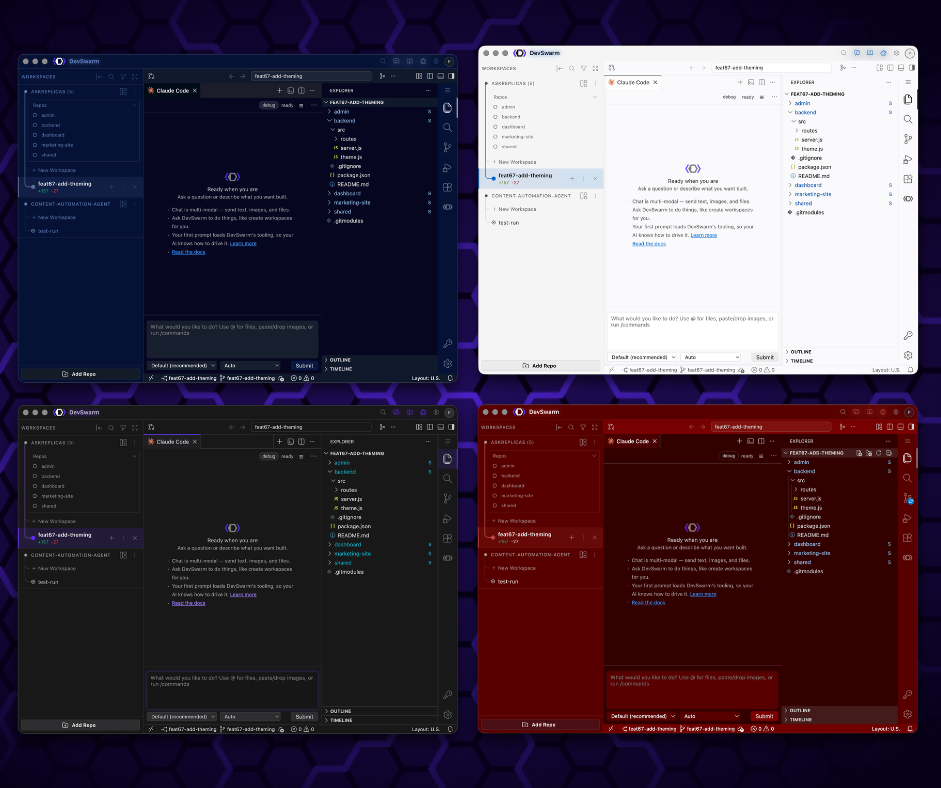
DevSwarm Now Supports Multi-Repo Workspaces
5 min read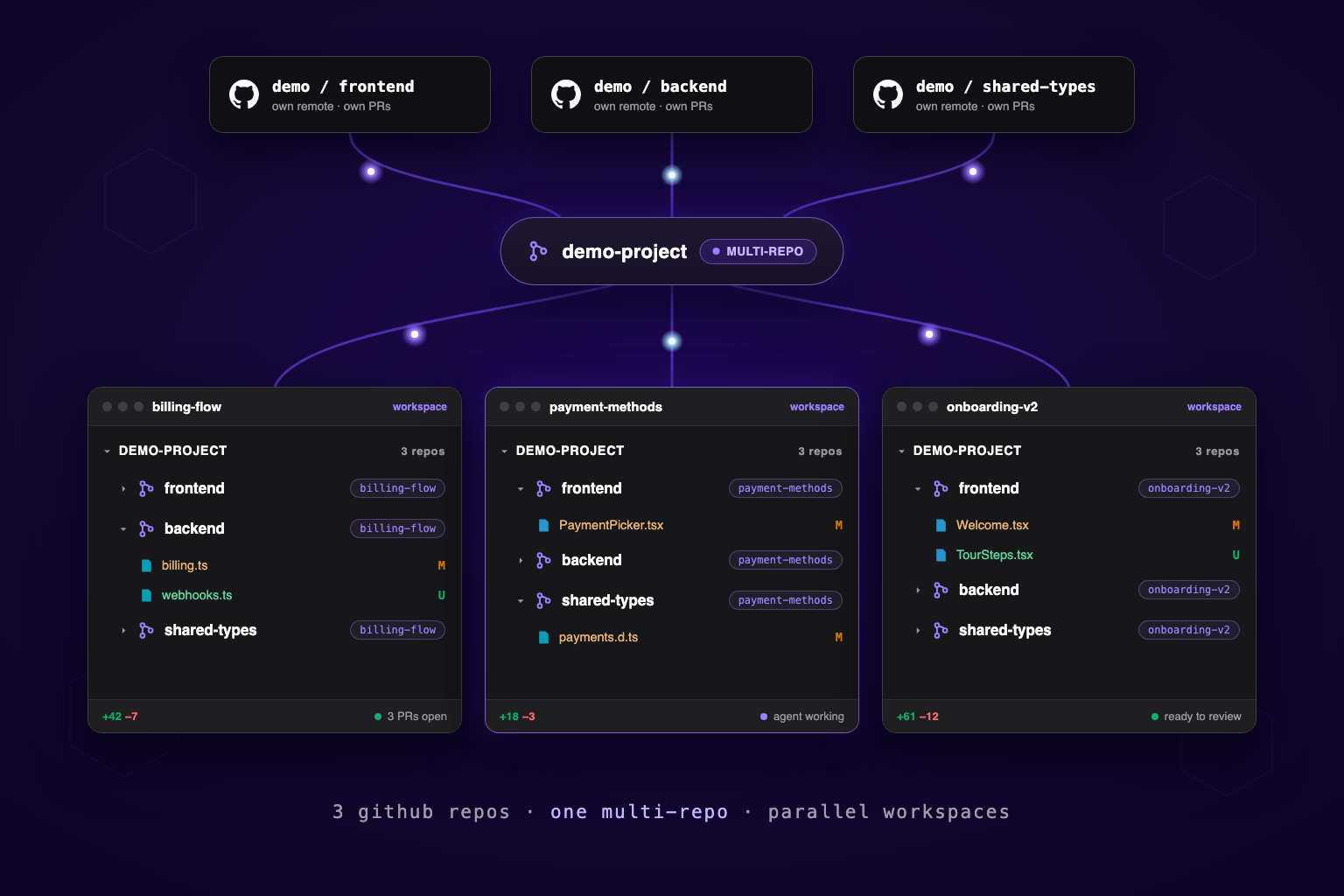
Introducing HiveControl: Let Your AI Orchestrate a Swarm of Workspaces
5 min read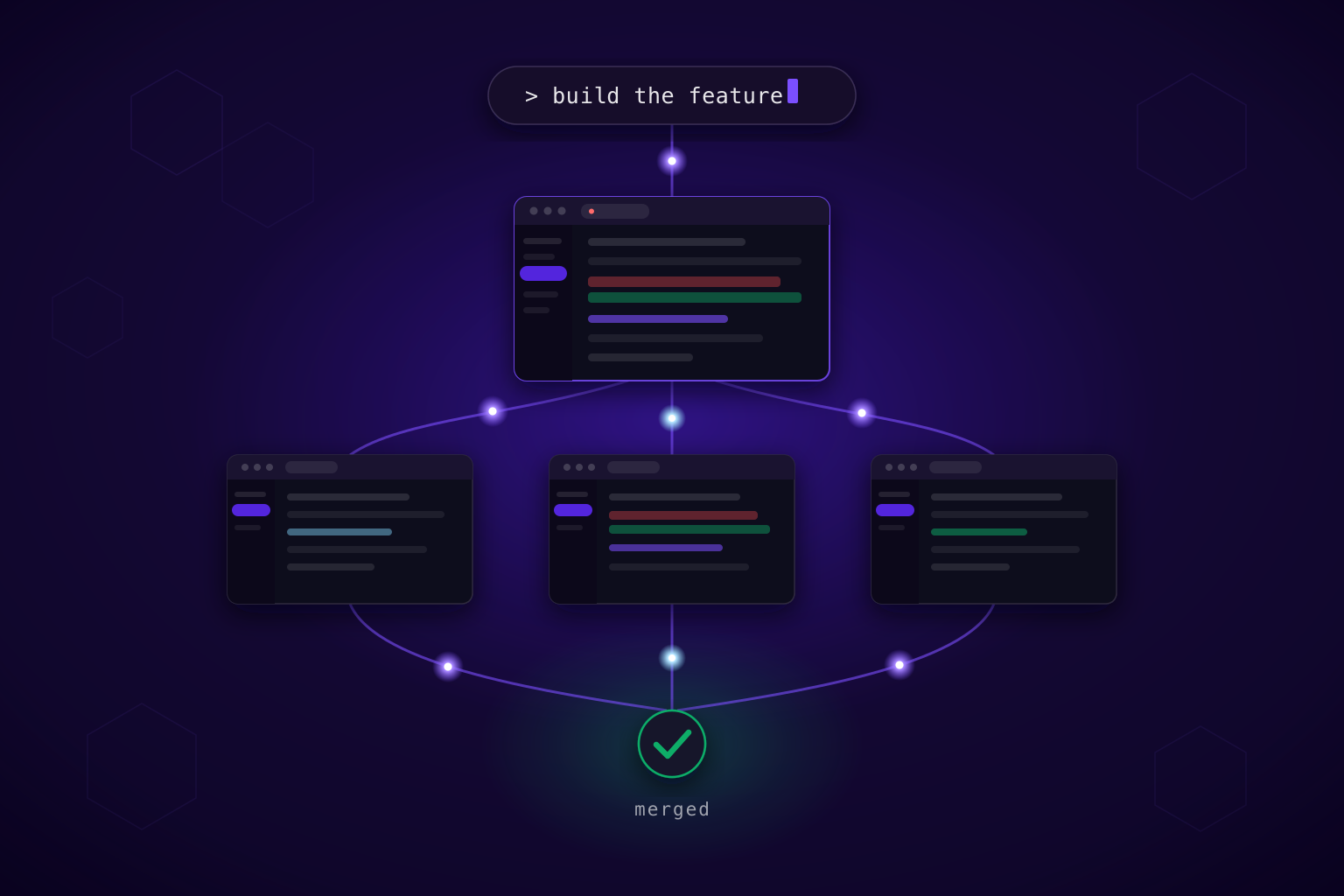
How One Developer Can Run a Whole Sprint Inside DevSwarm
4 min read
Frequently asked questions
Everything you need to know about DevSwarm and running parallel AI development.
See all questionsHow is DevSwarm different from IDEs with AI or single‑vendor agent platforms?
DevSwarm is the vendor‑neutral layer for multitask AI development. Run multiple assistants (cloud or local) across isolated branches, letting you compare results and merge the best work fast.
What makes DevSwarm's parallel execution different from other AI tools?
DevSwarm is true parallel: each Builder is an isolated Git worktree with its own agent, terminal, and runtime, so features, bugfixes, and experiments can all move forward at once without collisions.
Is DevSwarm an IDE?
Yes, DevSwarm is (now) a next‑gen IDE with a full VS Code experience built in, designed for multi‑agent, branch‑based workflows. You can still open any workspace in Cursor, JetBrains, Xcode, or your preferred editor whenever you want.
What problem is DevSwarm solving?
Most AI coding tools still force a single agent, serial workflow. DevSwarm removes the bottleneck by letting you run multiple workspaces in parallel, keep work isolated, and stay in control from idea to review to merge. Everything in one place.
Do I still need to use an IDE if I'm using DevSwarm?
No. DevSwarm includes a full VS Code based IDE plus terminal, Git, diffs, and review. If you prefer a different editor or need a specialized debugger, you can open any workspace in your editor instantly. But you can still easily click open any other IDE you want too.
How does DevSwarm ensure my code and data are secure?
DevSwarm is local first. Your repo stays on your machine, and DevSwarm does not upload your code to DevSwarm servers. Any sharing happens only when you intentionally use an external assistant, and you control what is sent.
Ship faster with Pro
