
View All Blog Posts
March 10, 2026




Claude is having a moment. The app hit number one on the App Store in late February, overtaking ChatGPT for the first time. Free signups jumped more than 60% since January, and paid subscribers have more than doubled this year. What started as the AI tool developers quietly preferred has become the one everyone is talking about.
Claude Code is a big part of that story. The terminal-based coding agent reached $1 billion in annualized revenue within six months of its public launch, and a UC San Diego and Cornell University survey from January 2026 found it among the three most widely adopted AI coding platforms alongside GitHub Copilot and Cursor. Even Microsoft, which sells Copilot, has widely adopted Claude Code internally across its engineering teams. It is, by most measures, the best AI coding agent available today.
So when a tool is this good, the natural instinct is to run more of it. Open five terminal tabs, start five Claude Code sessions, point each one at a different task, and multiply your output. It sounds like parallelism. In practice, it is something considerably more fragile.
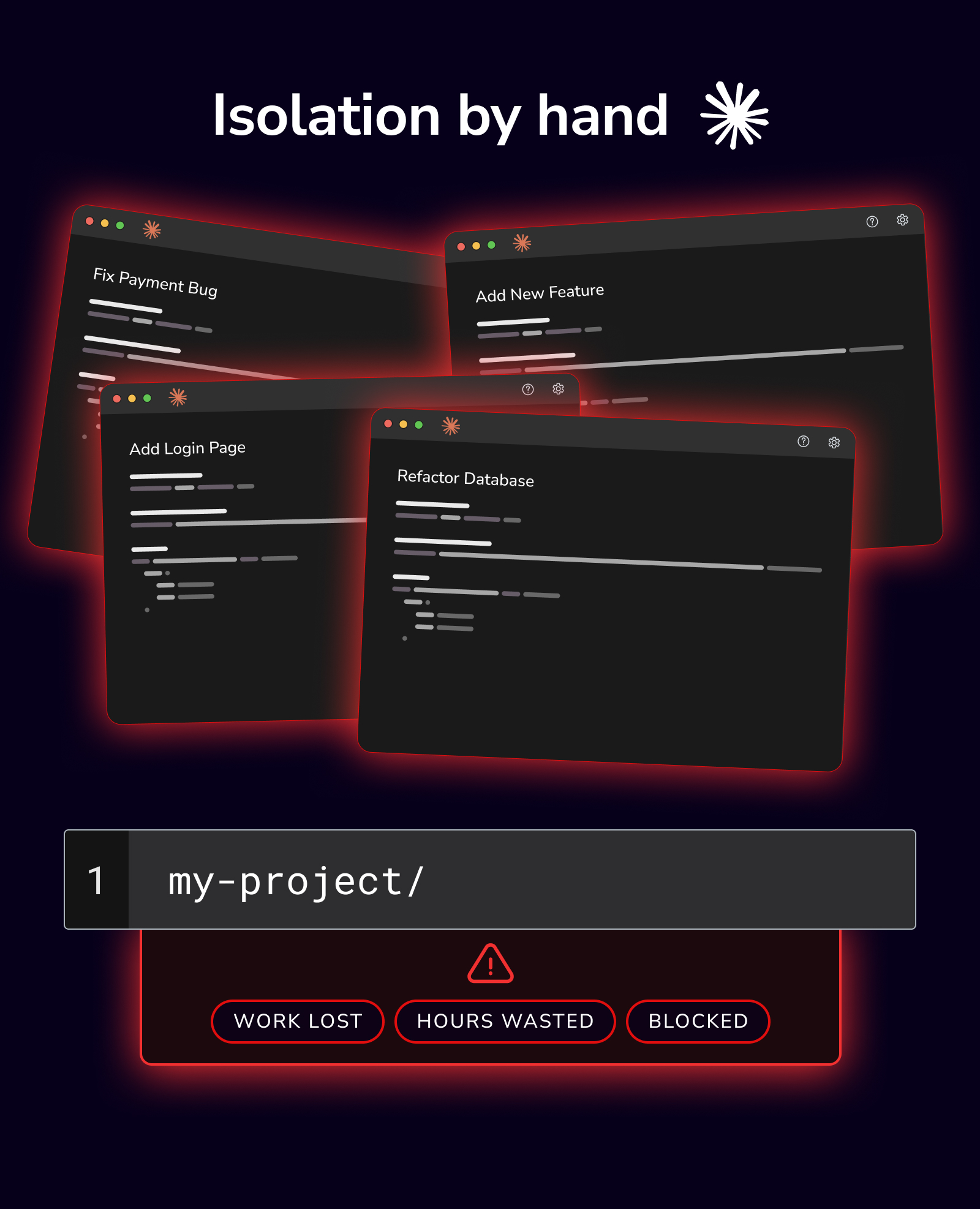
A Git repository has one working tree by default. Every file on disk belongs to whichever branch is currently checked out. When you open multiple Claude Code sessions in the same project directory, every session is reading and writing to the same set of files. Agent A is halfway through refactoring your authentication module while Agent B starts editing the same file for a bug fix. The result is not parallelism: it is a race condition, and the person debugging the fallout is you.
Experienced developers sometimes avoid this by running each session on a different branch, but that alone does not solve the problem. Switching branches in a single directory changes the files on disk, which means you cannot have two branches active simultaneously in the same folder. The sessions will still collide.
This is not a hypothetical concern. The METR study from July 2025 found that AI coding tools made experienced developers 19% slower on average, despite those developers expecting a 24% speedup. Among the contributing factors: time lost to context-switching, managing AI output, and dealing with the friction of workflows that were not designed for how these tools actually operate. Running multiple agents in the same working directory amplifies every one of those problems.
Git worktrees are a built-in Git feature, available since Git 2.5, that solves the one-directory problem. A worktree lets you check out a second branch of the same repository into a completely separate folder on disk. Both folders share the same Git history, the same remote connections, and the same object database, but their files are entirely independent. Changes in one worktree do not affect the other.
In practical terms, instead of this:
my-project/ ← one folder, one branch at a time
You get this:
my-project/                        ← main branch
~/.devswarm/repos/my-project/
  ├── add-login-page/              ← branch 1, separate folder
  ├── fix-payment-bug/             ← branch 2, separate folder
  └── refactor-database/           ← branch 3, separate folder
Each folder is a complete, working copy of your project on its own branch. An AI agent running in one folder cannot interfere with an agent running in another. Merge conflicts are still possible when branches converge, but they happen at merge time under your control rather than at random during generation.
Despite their power, worktrees remain obscure. The 2025 Stack Overflow Developer Survey found that while 84% of developers either now use or plan or use AI tools, only 31% use coding agents, and the vast majority of those are using them in the simplest possible configuration: one agent, one directory, one task at a time. The wave of new developers entering the field through "vibe coding," where AI handles most of the implementation and the developer focuses on direction and review, are even less likely to be familiar with advanced Git features. They learned git add, git commit, and git push. They did not learn git worktree add.
To its credit, Claude Code has added a --worktree flag that creates an isolated worktree and starts a session inside it. Running claude --worktree feature-auth will create a directory at .claude/worktrees/feature-auth/, check out a new branch, and launch a Claude session there. When you exit, it can automatically clean up the worktree.
Claude Code also supports worktree isolation for subagents via isolation: worktree in custom agent configurations, which lets a single session delegate parallel tasks to isolated sub-agents. This is a meaningful step toward parallel workflows within Claude Code itself. However, the orchestration model is inverted: Claude decides what runs in parallel, Claude manages the sub-agents, and the developer observes the results in a single terminal. For developers who want direct control over what each agent is working on, which agent to use for each task, and when to review or terminate each session independently, the human-orchestrated model is a better fit.
This is a genuine improvement over raw terminal tabs, and developers who know about it should use it. The problem is discoverability and workflow integration. The --worktree flag is a CLI option buried in documentation that most users will never read. It does not copy over environment files, it does not provide a unified view of all running sessions, and it does not manage the lifecycle of multiple worktrees at once. Each session is still an independent terminal with no awareness of the others. You are still alt-tabbing between windows, running git status in each one, and manually tracking which session is working on which task.
For a developer running two sessions, this is manageable. For someone running five or ten, the orchestration overhead becomes the dominant time cost, and the theoretical productivity gain of parallelism collapses under the weight of coordination.
DevSwarm takes a fundamentally different approach to the same problem. Every workspace in DevSwarm is a full development worktree environment based in the VS Code ecosystem. When you create a new workspace, DevSwarm automatically creates a branch, initializes a worktree in an isolated directory, lets you configure which local files to bring in, and spawns an AI agent with its terminal rooted in that worktree. There is no flag to remember, no CLI option to discover, and no manual setup. The isolation that makes parallel AI development safe is the default behavior, not an opt-in feature.
This distinction matters most for the developers who need it most. The Stack Overflow survey data shows that 66% of developers spend significant time fixing "almost-right" AI-generated code. Running multiple agents in parallel does not eliminate that review burden, but it does change the economics: five tasks completing concurrently means five diffs ready for review in the time one would have taken serially. The developer who would have waited for each agent to finish before starting the next can now review results as they arrive, reject bad output immediately, and iterate on promising results without blocking other work.
But this only works if the isolation is structural. A developer who opens five Claude Code tabs in the same directory and prompts all five simultaneously will not get five clean diffs: they will get one corrupted working tree. The worktree abstraction is what makes the difference, and DevSwarm makes that abstraction invisible.

When every workspace is a worktree by default, several other workflow problems resolve naturally.
Visibility across sessions becomes possible because DevSwarm knows about every active workspace. Instead of alt-tabbing between terminal windows, you see all workspaces in a single sidebar with their branch names and git status. Keyboard shortcuts let you navigate between them without losing context. Research on context switching suggests that it takes an average of 23 minutes to fully refocus after an interruption; a unified dashboard reduces these interruptions from full context switches to glances.
Git management scales because DevSwarm provides a built-in Git interface for each workspace: diffing, committing, and pushing without dropping to the command line. When you can see at a glance which workspaces have uncommitted changes and which branches have been pushed, the information that would require running git status in five separate terminals is consolidated into a single view.
Agent choice becomes practical because DevSwarm is not limited to Claude Code. Each workspace can run a different AI agent: Claude Code, Gemini CLI, Amazon Q, Aider, or any of the 19 agents DevSwarm supports. A workspace running Claude Code for a complex refactor and another running Gemini for documentation updates is a single click each, managed through the same interface. The Stack Overflow survey found that professional developers increasingly use Claude's Sonnet models (45% adoption), but different tasks sometimes benefit from different tools, and DevSwarm removes the friction of mixing them.
Cleanup is automatic. When you terminate a workspace, DevSwarm tears down the worktree, kills the terminal process, and frees the resources. With manual worktrees, directories and branches accumulate silently until someone remembers to prune them.
Claude Code is an excellent AI coding agent. DevSwarm does not replace it: more than 80% of DevSwarm workspaces run Claude Code as their agent. The question is not whether Claude Code is good enough. It is whether running Claude Code in a terminal tab gives you everything you need to work in parallel effectively.
The answer, for most developers, is that it does not. Not because Claude Code lacks capability, but because parallel development is an orchestration problem, not an agent problem. You need isolation, visibility, lifecycle management, and coordination, and those are the concerns that determine whether five concurrent agents actually deliver five times the output or simply create five times the confusion.
DevSwarm exists to close that gap. It turns Git worktrees from an obscure power-user feature into the invisible infrastructure that makes parallel AI coding work, so that the developer's attention stays on the work itself rather than on the plumbing that enables it.

